Product Updates

Follow new updates and improvements to Lutra Health.

February 2nd, 2026

Monthly update

This month includes a set of user-facing improvements, alongside ongoing work behind the scenes on larger updates that aren’t quite ready to share yet. We’re looking forward to sharing more as soon as they’re ready.

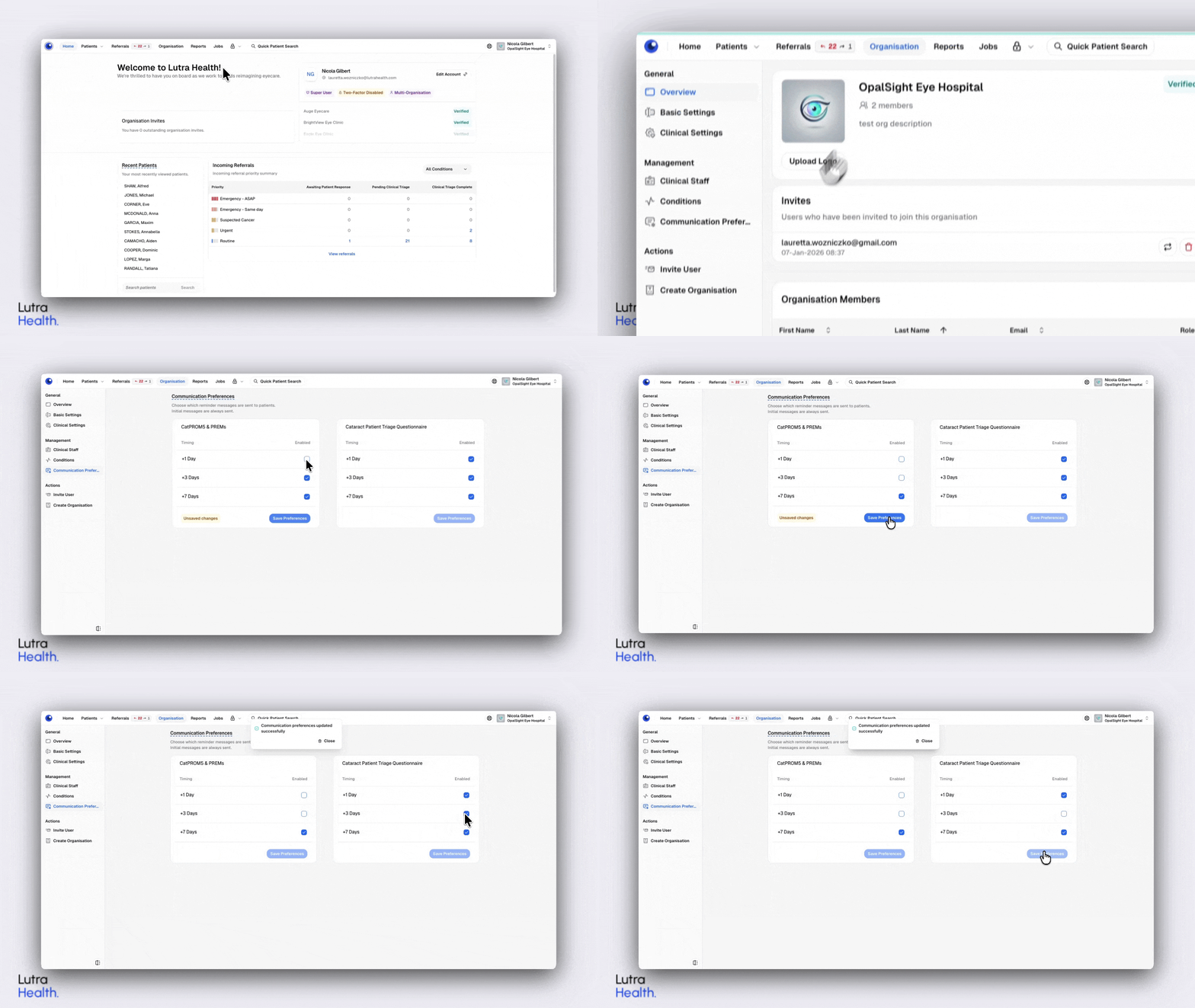
⏰ Configurable reminder preferences for patient communications

What’s new

  • Organisation Admins can now configure how many reminders are sent for patient communications.

  • Reminder settings apply to CatPROM5, PREMs and patient triage questionnaires.

  • By default, reminders are set to +1 day, +3 days, and +7 days.

  • Admins can choose any combination of these reminders, or opt to send no reminders at all.

  • Preferences are saved at an organisation level and can be updated at any time.

Why we made this change

Different organisations have different approaches to patient follow-ups.
Providing configurable reminder settings gives teams more control over how and when patients are reminded, helping communications better align with local workflows and preferences.


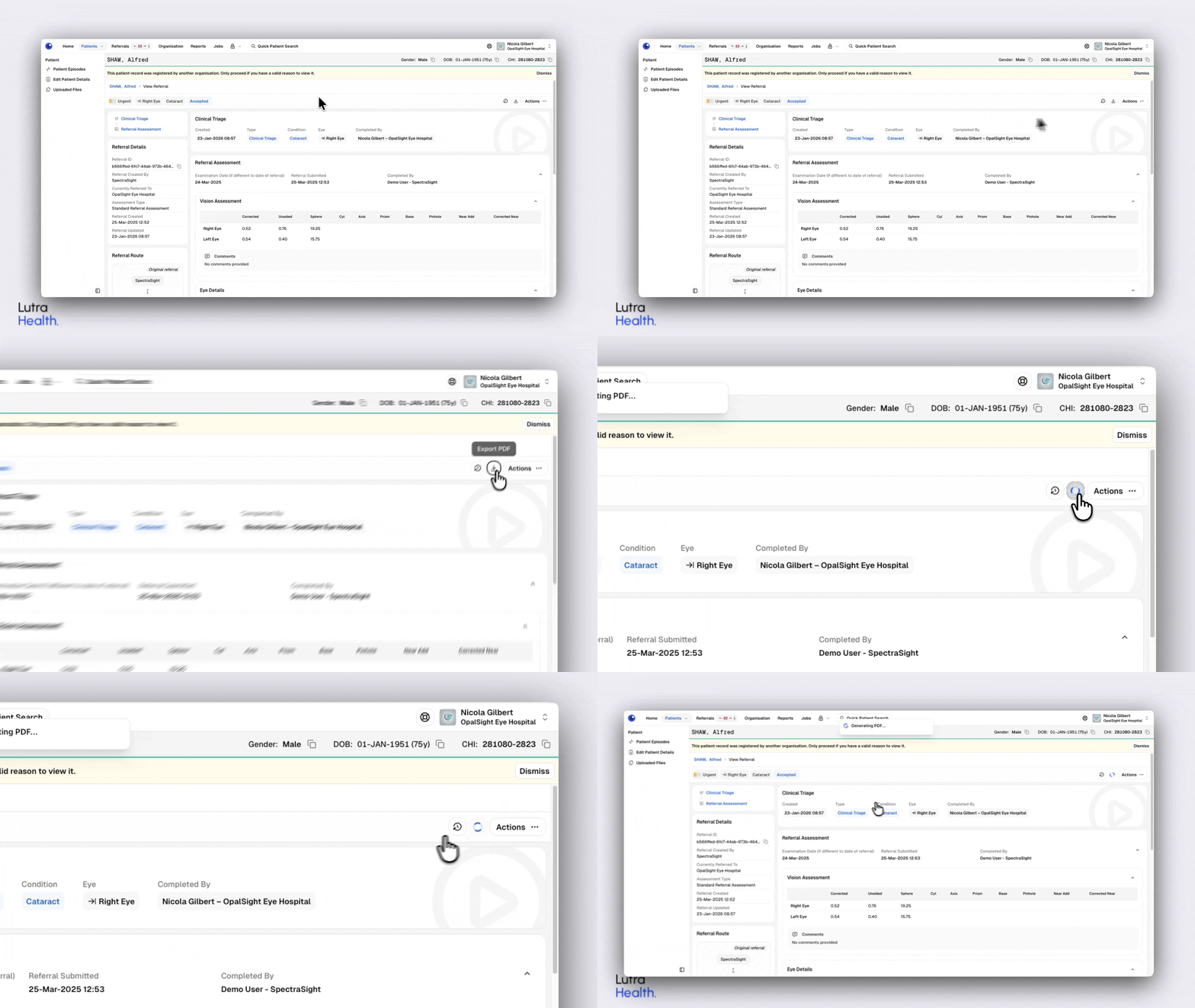
📄 Export a referral to PDF from the referral view

What’s new

  • You can now export a single referral to PDF directly from its detailed view

  • The option is available regardless of referral status (Draft, Pending, Accepted, Completed, etc.).

  • Exporting from the referral view generates a PDF containing only the referral being viewed.

Why we made this change

Exporting referrals is a common task, and this update makes it easier to do so directly from where you’re already working.

Adding referral-level export improves efficiency while keeping existing episode-level export options unchanged.


📝 New response option added to PREMs questionnaire

What’s new

  • Added “Insurance Company” as a response option to the PREMs question “How did you hear about the hospital/clinic?”.

  • This option is available in both the PREMs questionnaire and the Cat-PROM5 Post-Op Questionnaire with PREMs.

Why we made this change

This update was requested to better reflect how some patients are introduced to hospitals and clinics.

Including Insurance Company as an option helps capture more accurate and relevant responses, while keeping the rest of the question behaviour unchanged.

January 5th, 2026

Monthly update

Here’s a roundup of a few of the new features and improvements we introduced during December.

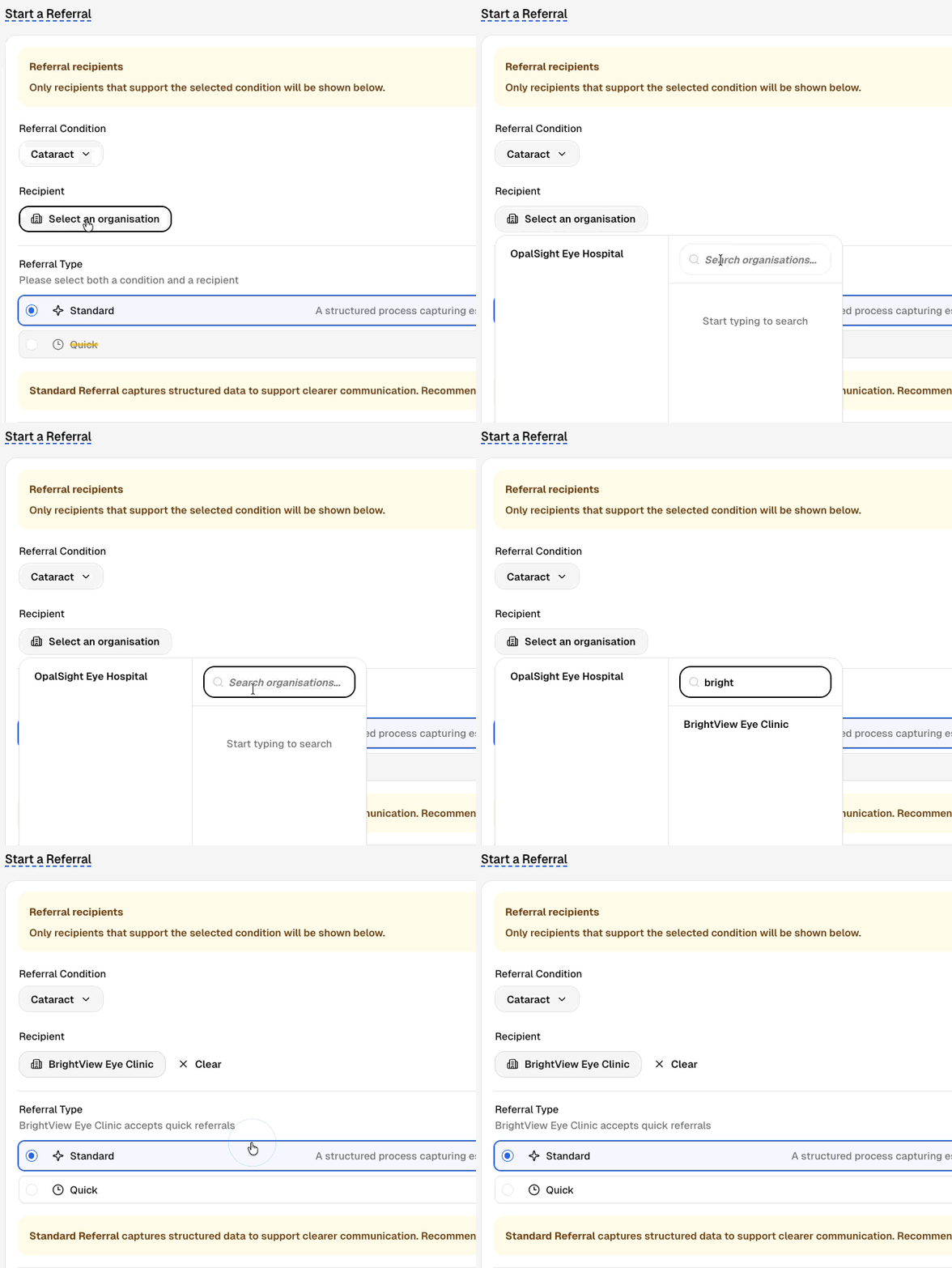
🏥 Faster recipient organisation selection

What’s new

  • The recipient organisation list now prioritises the organisations you send to most frequently (up to 10) for quicker selection.

  • You can still search across all organisations if you need to refer to a different one.

Why we made this change

Selecting a recipient organisation is a frequent step in the referral process.
By surfacing commonly used organisations first, it’s now quicker to find and select the right destination without scrolling through the full list each time.


💾 Form progress is now saved automatically

What’s new

  • Progress on forms (such as referral assessments) is now saved automatically as you complete them.

  • If you leave the page or return to the form later, any previously entered information will be restored when the form is reopened.

Why we made this change

We want to make sure work isn’t lost if a form is interrupted for any reason.
Saving progress locally helps protect against temporary disruptions and makes it easier to pick up where you left off, providing a more reliable and reassuring experience.


🏷️ New file type labels for uploads

What’s new

  • You can now tag uploaded files as “Fundus photo” or “Referral letter” from the file type options.

Why we made this change

These file types are commonly included with referrals. Adding clearer labels makes it easier to identify and organise supporting documents at a glance.

November 27th, 2025

Monthly update

This month, we rolled out a major improvement to patient search and registration:

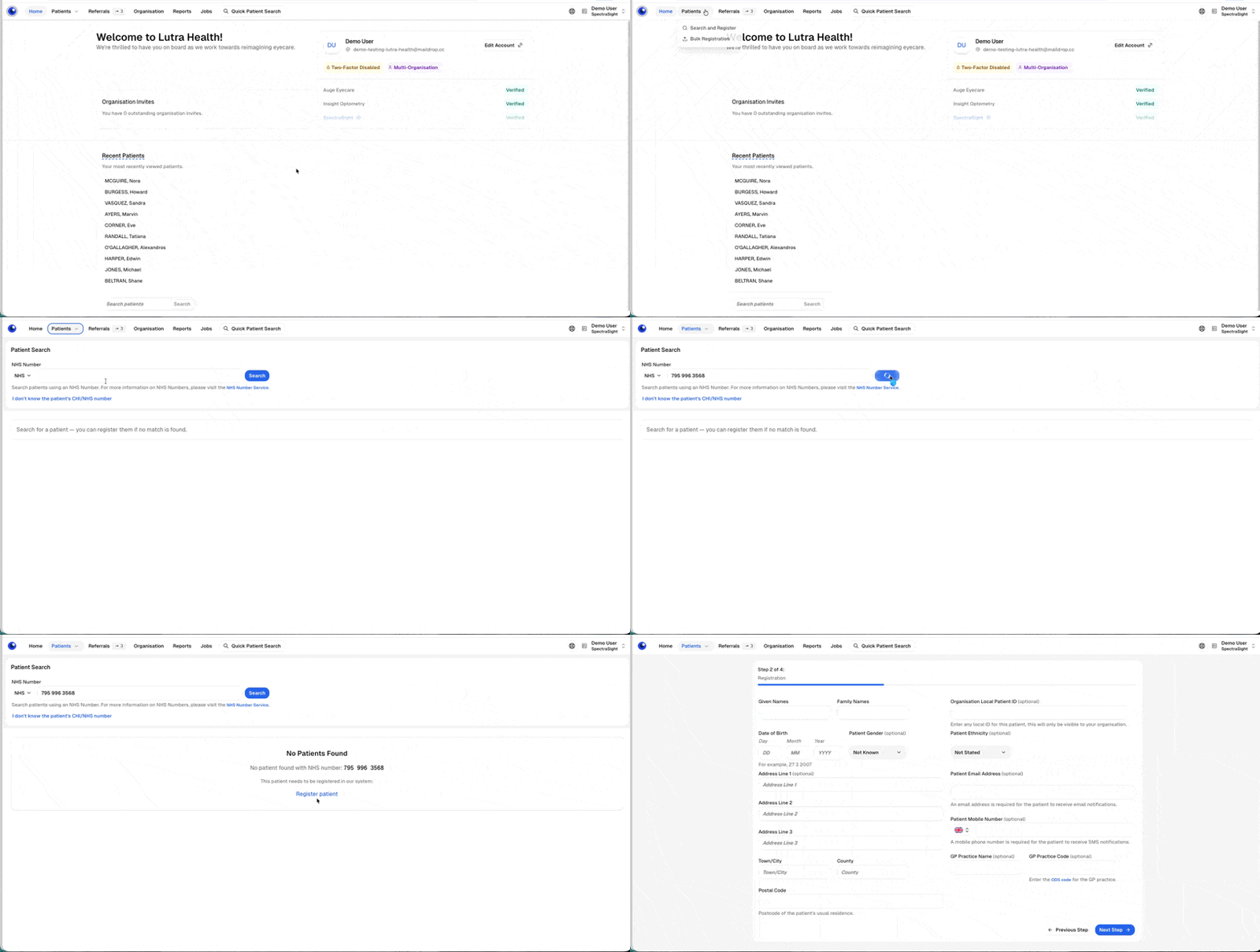
🔍 Improved Patient Search & Registration

We’ve released an update to make patient registration more accurate and efficient.

What’s new

  • Introduced a new “Search and Register” option to guide the process of checking for existing patient records before creating a new one.

  • Removed the previous “Register” option from the Patients menu.

  • Full search now requires at least a name element and date of birth when searching by demographics.

  • Quick Search in the top navigation still lets you find existing registered patients using a single element (e.g., name).

Why we made this change

We’ve enhanced the workflow to make it easier to identify existing patients and keep records consistent.

By searching first, the system can better surface possible matches and help ensure new registrations are accurate.

This update supports a smoother process, helps maintain high-quality patient information and lays the foundations for connections with demographic services.


Based on user feedback, we’ve made the following improvements:

📆 Easier entry for previous IOP visit dates

What’s new

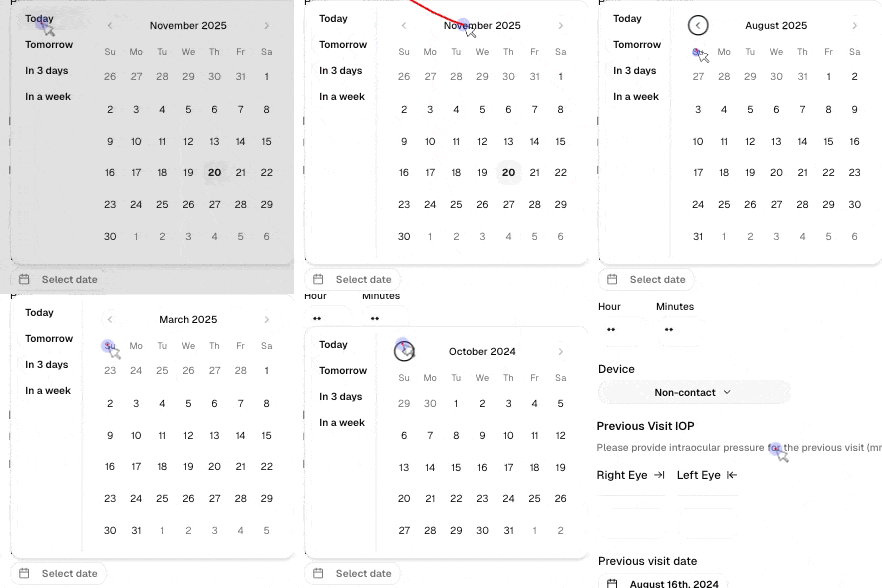
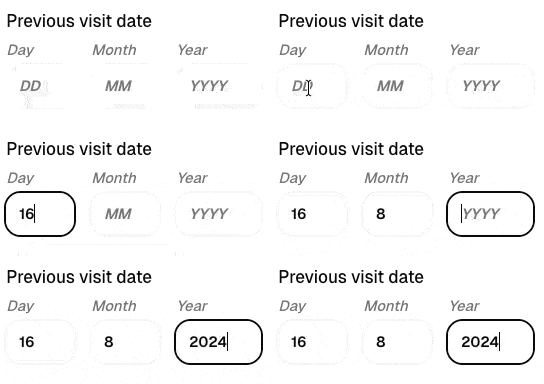
  • You can now type the previous IOP visit date manually instead of selecting it from a date picker.

Why we made this change

Previous IOP measurements are often taken months earlier, and using a calendar picker could mean lots of scrolling to reach the right date.

Manual entry makes this step faster and smoother when recording historic visits.

Before

After

🏷️ New “OCT” file type label for uploads

What’s new

  • You can now tag uploaded files as “OCT” from the file type options.

Why we made this change

OCT files are commonly shared in referrals, and we received feedback that it would be helpful to label them clearly.

Adding an OCT file type tag makes it easier to sort and recognise these files at a glance.

October 31st, 2025

Monthly update

Here’s a roundup of a few of the new features and improvements we introduced over the last month.

🗂️ Updated Referral Actions View

We’ve improved how actions work within the referral view to make managing referrals faster and more flexible.

What’s new

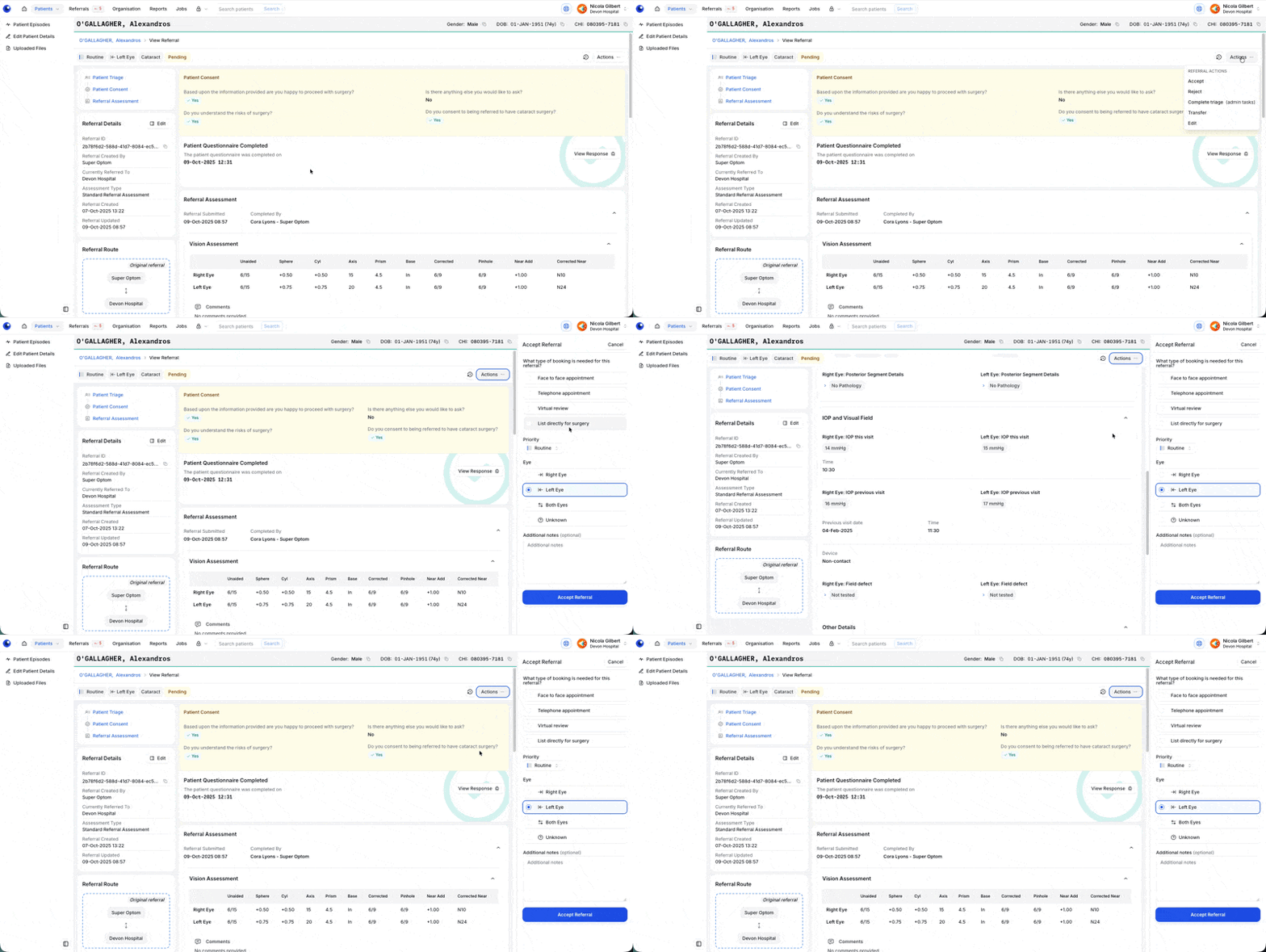
  • When you select an action, it now opens in a panel on the right-hand side of the screen.

  • You can continue to view and interact with referral details while completing the action — no more switching back and forth.

  • For the “Accept” action, you can now update the eye and priority directly within the panel.

Why we made this change

This update streamlines referral workflows by reducing screen changes and keeping key context visible while taking action — helping you work more efficiently and with fewer clicks.


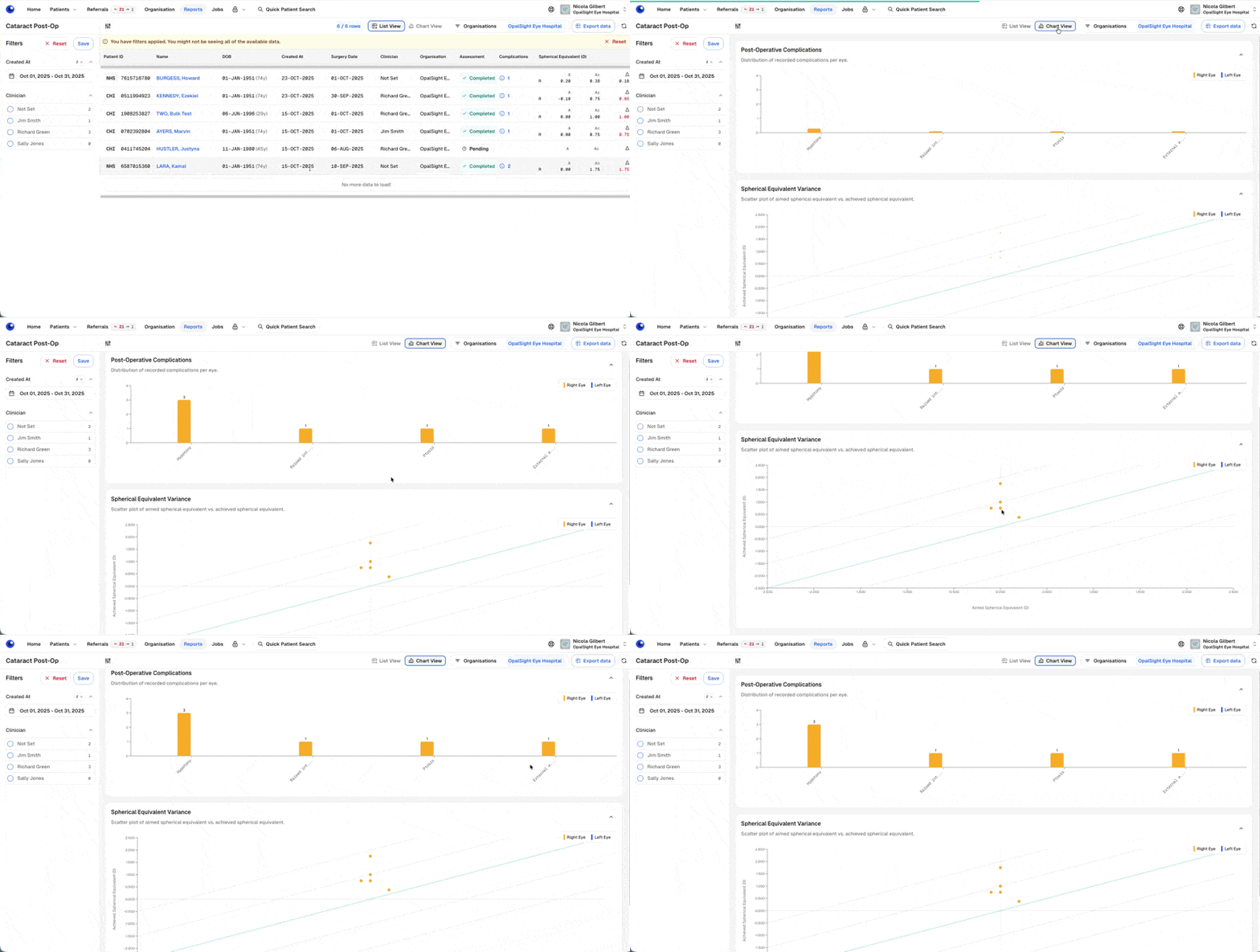
📊 Cataract Post-Op Assessment Reporting

We’ve added new reporting tools to help you review and analyse key data from Cataract Post-Op Assessments.

What’s new

  • The Reports menu now includes a dedicated Cataract Post-Op Assessments section.

  • A list view provides summary information for each patient.

  • A chart view offers a quick visual snapshot of complication rates and spherical equivalent variance.

  • Data can be exported for further analysis.

  • Complications are displayed using an NOD-aligned list for consistency with national reporting.

Why we made this change

To make it easier to monitor cataract post-operative outcomes at both a high level and in detail — and to support the complication reporting requirements for NOD (National Ophthalmology Database) submissions.


👁️ Improved Vision Assessment – Easier “Method” Selection

We’ve made it quicker and clearer to record the vision assessment method in both Standard Referral and Cataract Post-Op measures.

What’s new

  • The “Method” field now uses radio buttons instead of a dropdown menu.

  • “Snellen” is pre-selected by default, since most users choose this method.

  • You can still select “Logmar” if needed — simply click or tab to choose.

Why we made this change

Feedback showed that users almost always select Snellen and found the extra dropdown click unnecessary. This update makes both options visible at a glance and reduces the number of steps needed to complete a Vision Assessment.


🛡️ Reducing the Risk of a Missed Referral

We’ve introduced new automated logic to further minimise the chance that a patient’s referral is overlooked.

What’s new

  • When a patient triage questionnaire is sent and no response is received after two weeks, a weekly notification is now sent to remind users that follow-up with the patient may be needed.

  • If there’s still no response after four weeks, the referral status automatically moves into the queue for clinical triage to ensure it’s not missed.

Why we made this change

To provide extra safeguards that help ensure every patient referral is followed up appropriately — even when a patient does not respond to their initial questionnaire.